
British French Harmony
Recently, a team of international runners ran from London to Paris as part of the global World Harmony run. The runners set off from Greenwich, London and ran down to Dover through Canterbury and the fields of Kent. After crossing the channel on the ferry. The run continued from Calais to Paris.
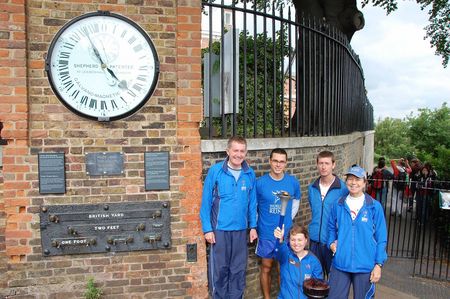
Greenwich Mean Time
The World Harmony Run Team visited many schools along the way.
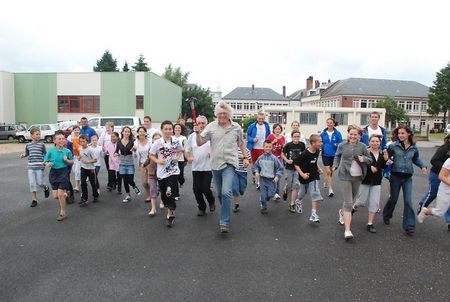
The local school at Crevecoeu, France
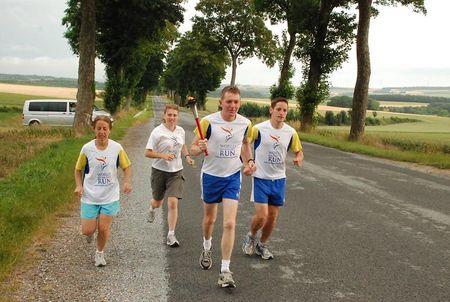
Running Through the French Countryside
If you can create harmony
In your own life,
This harmony will enter
Into the vast world.
- Sri Chinmoy (founder of World Harmony Run)
Impossibility Challenger
The Impossibility Challenger World Record games are an opportunity for participants to engage in a variety of record attempts and challenges. The event is organised by the Sri Chinmoy Centre in Munich, Germany. The Impossibility Challenger offers individuals the opportunity for self-transcendence in numerous ways.
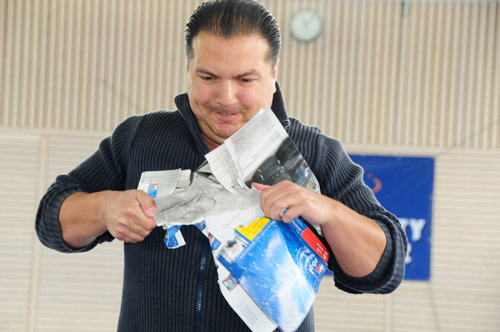
Ripping Telephone Book
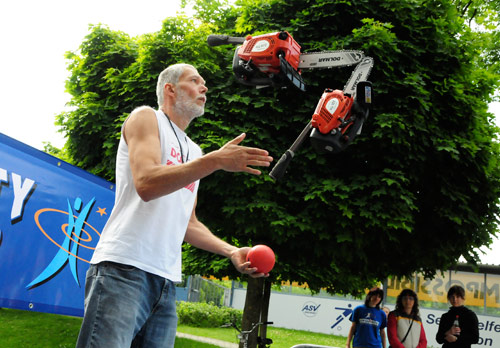
Milan Roskopf juggling with three chainsaws - Don't Try this at Home...
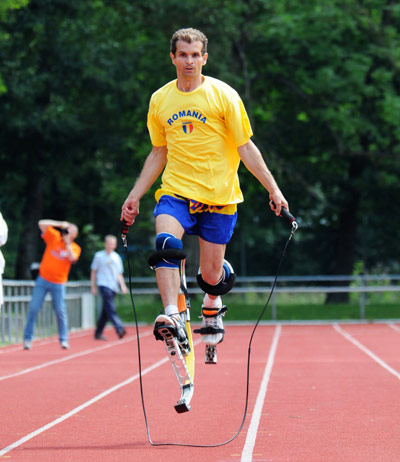
Chasing record for Skipping on Stilts
If we believe
In our own
Self-transcendence-task
Then there can be
No unreachable goal.
- Sri Chinmoy
- Impossibility Challenger at Sri Chinmoy Races
Using the 'Latest News' section (Centre site only)
There is no longer a seperate 'News Item' content type - instead we can make any page appear in the 'Latest News' section by going to Mark as news item? and checking 'Mark this page as a Latest News page'. The page can be located anywhere on the site, making it easier to organise news pages - for example placing all 2008 pages in one location and 2009 pages in another.
The page will then be listed in the 'Latest News' sidebar block and 'Latest News' page. You can see example of sidebar block at http://cz.srichinmoycentre.org and page at http://cz.srichinmoycentre.org/novinky.
Note that the sidebar block, if enabled, will appear on the front page only (this may change in future).
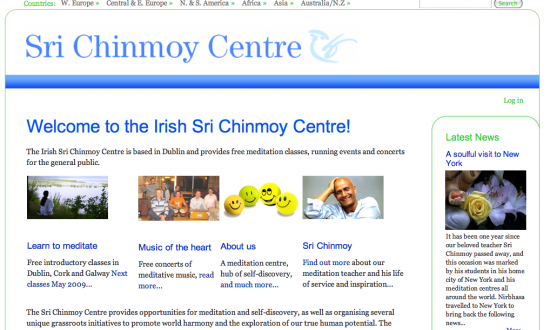
Non English countries: to set up a 'Latest News' page and sidebar block for your country, please send MMS to Nirbhasa containing translation for the words 'Latest News' and 'More...'. Please only request this if you are quite sure you will make use of the 'latest news' feature on your site.
For English-speaking countries, the Latest news page has been set up at {your site name}/news
Uploading Images
We can also upload an image to appear along with the news item in the sidebar block and page. You can upload a camera quality image here (it will be automatically scaled down to 350px wide) but for best results you might consider resizing it yourself first. If you think the 'Latest News' section looks nicer without images, just leave this field alone.
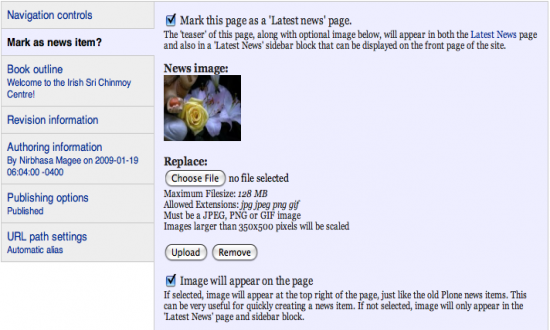
You can include your image in the page itself by ticking the 'Image will appear on the page' checkbox, which is very convenient if you need to create your news item in a hurry!
Teasers
Now we need to specify a 'teaser' for the news item - basically a short sentence or two, like the first couple of sentences of a news report, enticing the reader to read more. (Basically, it's the same as the 'Description' field in Plone).
You have a choice:
- either the teaser can be part of the page content
- or you can have it so it is only visible on the Latest news sidebar block and page, but not in the page itself
To do the first one (assuming the content is written already) just place the cursor where you want the teaser to end, and press the 'Teaser' button. A red line will now seperate teaser and cursor. The 'show summary in full view' checkbox should be already ticked, leave it like that. Be careful not to include images or any other formatting in the teaser - it should be plain text.
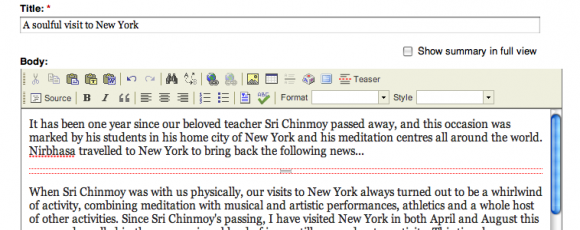
To have the teaser seperate from the page content, write the teaser above the content, hit the 'Teaser' button, and uncheck the 'show summary in full view' checkbox. For best results, remove the whitespace below the red line so the content is right up against it.
Parent and Child Pages
Under the old Plone system, all content was arranged in folders and subfolders. This meant content could be organised nicely, but it often meant in order for something to work you had to apply the change to the folder as well as the page.
In Drupal, we have the concept of parent and child pages (which you might be familiar with from the World Harmony Run site). Suppose you want to create a meditation section on your site, with a main meditation page and some other meditation pages leading on from that. If you set the main meditation page as the parent page of the other pages, then the other pages will exist under the main meditation page.
Clicking the Create new page link will, by default, set the new page as a child of the page you were on when you clicked the link, although that can be changed whilst editing the page.
Another advantage of this system is that you can move the pages from one place to another in the site. In Plone, the URL (the address of your page) was tied to the folder, so if you moved your page to another folder, the link was broken. However in Drupal, the URL is not tied to anything, so you can move your page anywhere in the country site. You can see the entire structure of your country site by clicking on the 'View/arrange pages' link, and change the entire structure in one go.
All the content that was on the old Plone site exists on the new site, and the same structure has been kept.
If you enable the 'Navigation' sidebar block, or the 'Navigation controls' options in the edit page, the parent/child structure can also play an important role in the navigation of the site.
You can also set the URL structure of a new page by unclicking 'automatica alias'
Setting URL - Path of a Page
Drupal automatically decides the page URL (what we used to call the 'short name' in Plone) based on the title. For example, if we left 'automatic alias' ticked for this page, the URL would be
http://www.srichinmoycentre.org/setting-URL---path-of-a-page.
But we unticked automatic alias and wrote instead: help/setting-url
so sow you can see the URL of this page is http://www.srichinmoycentre.org/help/setting-url
How To Set URL
- When you edit a page: right at the bottom, there is an option URL alias.
- Uncheck 'automatic alias' and just type in the URL that you want.
- e.g. sri_chinmoy/knjige/eseji/everest-teznja (note no trailing slash at front)
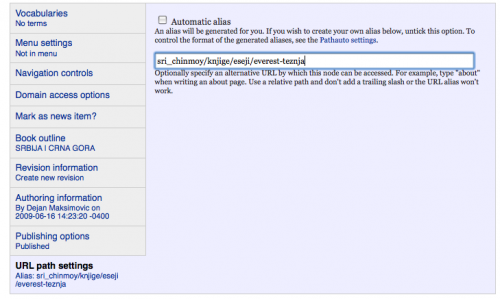
You can set any URL you want. This might be useful if you have a very long title and want a specific URL which is easy for people to type.
Remember, if you want to organise/tidy up your country site, you can now move pages around in the 'View/rearrange pages' page without breaking the links. - help page
Start of 3100 Mile Race 2009
The 14th edition of the 3100 Mile Self-Transcendence Race - the world's longest certified road race - began today in Queens, NY.
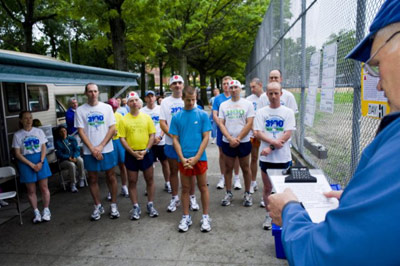
Start of 2009 Self Transcendence Races
- Daily Results
- 3100 Mile Race - Daily Blog at 3100 Mile Race
- Daily Video Blog by Utpal from Perfection Journey.
- 3100 Mile Race at Multidays
- The Day Before.
- The Beginning of the Great Journey Start
Photo by Jowan from 3100 Mile Sri Chinmoy Center Galleries
Video
Video
- ‹ previous
- 166 of 337
- next ›

Except where explicitly stated otherwise, the contents of this site are licensed under a Creative Commons Attribution-NonCommercial-NoDerivs 3.0 Unported License. read more »
SriChinmoyCentre.org is a Vasudeva Server project.